Puzzle Apps

游戏封面: A Little to the Left

A Little to the Left

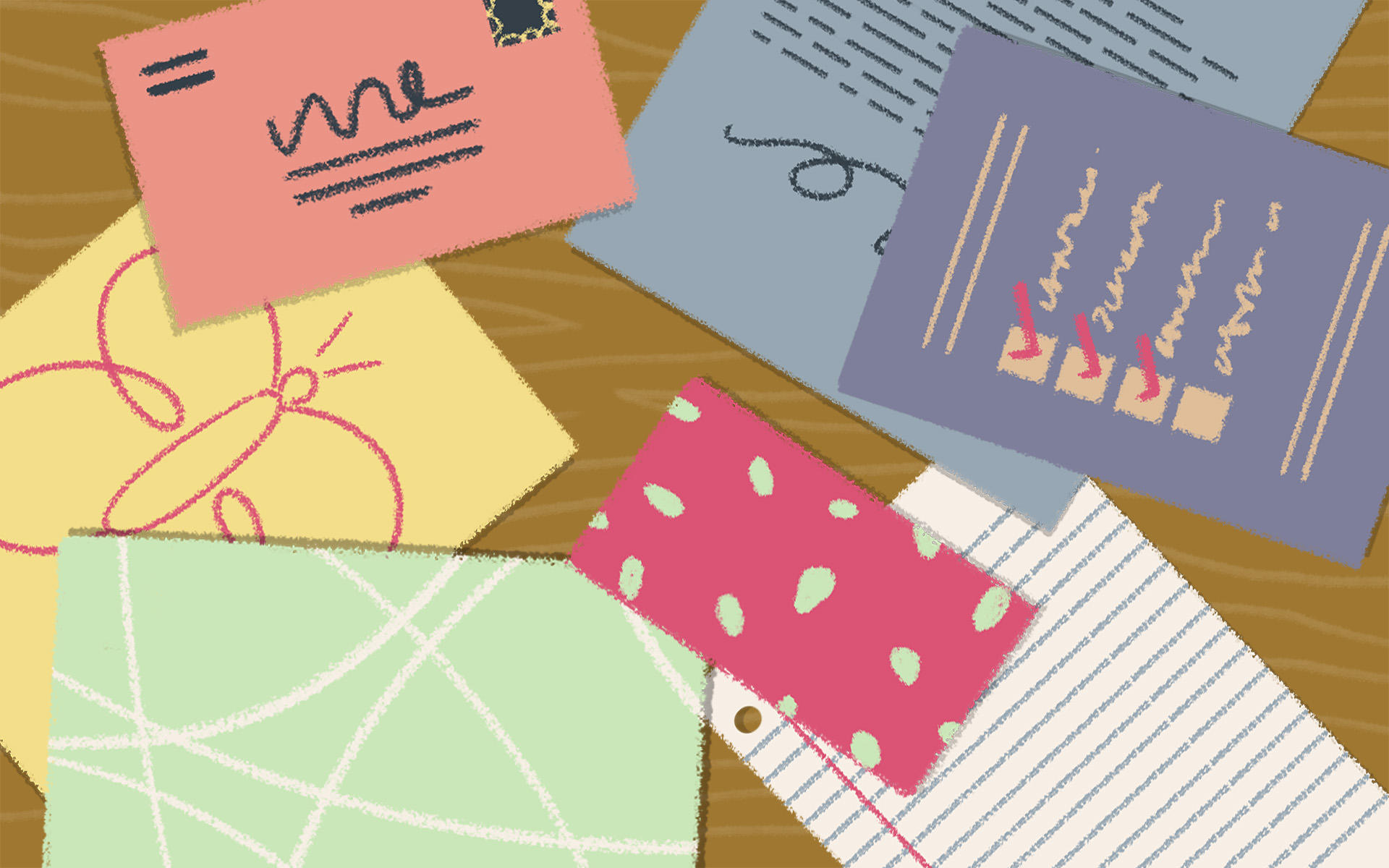
A Little to the Left is a cozy, design-y puzzle game about putting everyday chaos back in order: lining up pencils, sorting spoons, stacking boxes, and peeling way too many stickers off fruit — all while a mischievous cat occasionally smacks your hard work out of place. You’re not solving math problems or Sokoban grids here; you’re tidying up small household scenes until they “feel right”. Each level is a self-contained vignette: a messy drawer, a cluttered shelf, a stack of mail, a row of picture frames that are just… a little to the left. The game comes with 100+ hand-crafted puzzles, plus Daily Tidy Delivery (a fresh puzzle every day) and extra packs like the Cupboards & Drawers DLC for even more things to neatly arrange. It’s available on PC, PlayStation, Xbox, Nintendo Switch, and mobile (iOS/Android). Why this game is truly cozy Organization as a core mechanic A Little to the Left is basically organizing as game design. Every scene is “a little out of sorts”, and your job is to find a pleasing logic: sort by size, colour, shape, pattern, expiry date, or something sneakier create symmetry, pleasing gradients, or neat little clusters That “ahhh, everything fits perfectly now” moment is the entire point. Reviews often describe it as relaxing, satisfying, and “busy work for the soul”. Puzzles that reward observation, not speed There are no timers, no scores, and no fail screens. You can drag objects around as much as you like, undo mistakes instantly, and sit with a puzzle for as long as you need. It’s all about noticing small details: tiny scratches on rulers, label directions, colour bands on cables, etc. Multiple solutions for many levels A lot of puzzles have more than one valid solution: sort pencils by length or by eraser colour group objects by brand or by pattern arrange items by height or by number of stripes The game even shows how many solutions exist, turning each level into a mini “how many ways can I make this satisfying?” challenge. A very cat-accurate chaos factor Your in-game cat occasionally hops into a puzzle to swipe items, knock things over, or sit directly on what you’re trying to fix — exactly like a real cat “helping” you tidy. It’s never punishing; it’s just a little playful friction that keeps the vibe warm and personal instead of sterile. Cozy… but not brain-off Visually and sonically it’s peak cozy: soft art, gentle music, lovely little sound effects. But some puzzles are genuinely tricky; a few players on cozy forums note that it can be more mentally demanding than it looks, even though you can always use hints or skip. If you like gentle but thoughtful puzzling, it hits a sweet spot. Gameplay Breakdown At its core, A Little to the Left is an observational, drag-and-drop puzzle game: Each level is a small messy scene You might see: - a desk with scattered stationery - a row of books in the wrong order - jars of spices with mismatched labels - an over-stickered piece of fruit Something is “off”, and your job is to discover what the underlying rule should be. You manipulate objects directly You use mouse, controller, or touch to: - drag items around - rotate them - stack, nest, and slide things into place There’s no character avatar; you interact with the scene itself, like a tactile point-and-click puzzle. You discover the rule by trial and intuition The game rarely tells you the rule outright. Instead, you infer it by: - noticing visual patterns - watching subtle feedback when items “snap” into place - using hints when stuck Sometimes it’s obvious (sort by size); sometimes it’s clever (sort by how many times an object has been repaired). Figuring it out is half the fun. Hints and "Let It Be" for tough puzzles If a puzzle isn’t clicking, you can: - reveal a hint overlay to show the general pattern - use "Let It Be" to skip that puzzle and come back later This keeps things cozy even when some levels get surprisingly difficult. Daily Tidy & DLC for long-term play Beyond the main set of puzzles, you get: - Daily Tidy Delivery: one unique puzzle every day - Archive: a calendar-style index of previous dailies and seasonal specials - Cupboards & Drawers DLC: a whole expansion pack focused on deep storage chaos (drawers, cupboards, hidden compartments) It’s easy to build a small daily ritual around solving just one tidy puzzle with your coffee. Mini Tips Start with the most obvious pattern Before you overthink, try the simplest idea: size, colour, number of items, or left-to-right gradients. The solution is often less complicated than your brain wants it to be. Remember there might be multiple solutions If the level shows "2" or "3" solutions, don’t stop at the first one. Try rearranging using a different logic (e.g., colour instead of size) and see if the game accepts it. Use hints guilt-free The hint system is there so you don’t get stuck in frustration. One hint nudge is often enough to re-orient your thinking without spoiling the entire answer. Skip puzzles that wreck the vibe If one specific level is killing your mood, hit Let It Be and move on. You can always come back later when your brain’s fresher. Daily Tidy is perfect for micro-sessions Use the Daily Tidy puzzle as a 5-minute "coffee break" ritual instead of trying to marathon the main levels in one sitting. FAQ Is A Little to the Left stressful? Most players find it calming: there’s no timer, no penalty for mistakes, and everything is about making neat little patterns. But a few puzzles are quite challenging and can feel mentally tiring if you’re expecting a pure "brain-off" experience. Hints and skipping help keep it cozy overall. How long does it take to finish? The main set of puzzles typically takes around 4–5 hours to clear for most players, depending on how often you use hints or skip. Daily Tidy and DLC content can keep you coming back much longer. Is it like Unpacking? If you loved Unpacking, you’ll probably vibe with A Little to the Left: both games turn small domestic tasks into gentle puzzles and lean heavily on visual storytelling and satisfying sound design. A Little to the Left is less narrative and more “pure puzzle”, but it scratches a similar organizing itch. What platforms is it on? A Little to the Left is available on: PC Nintendo Switch PlayStation Xbox iOS & Android Do I need to be "good at puzzles"? You don’t need hardcore puzzle skills, but you should enjoy pattern-spotting and light lateral thinking. If you like organizing, colour-matching, and noticing tiny visual details, you’re exactly the target audience. And again, hints + Let It Be means you never get permanently stuck. Is there DLC and ongoing support? Yes. The Cupboards & Drawers DLC adds a new campaign of puzzles centered on deep storage spaces, and Daily Tidy keeps serving new little challenges. If your favourite part of life is that precise instant when a messy drawer becomes neat, A Little to the Left is basically an entire game built out of that feeling.

Puzzle
游戏封面: Snug

Snug

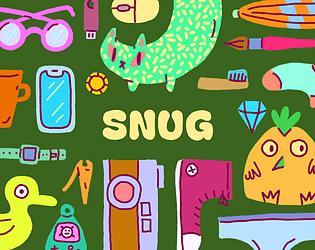
Snug is a cozy packing game about organizing everyday items into bags. It’s part block-stacking puzzle, part inventory management, with a very satisfying dash of physics. Each level gives you a new bag shape (or something bag-adjacent) and a pile of stuff that definitely shouldn’t all fit… but somehow does. You drag, rotate, stack, and squeeze items until everything sits snugly in place: kettlebells, ukuleles, beach towels, cats, axes (for some reason), and more. The current free prototype is short but replayable: a handful of thoughtfully designed bags, vibrant hand-drawn art, and a relaxing soundtrack that a lot of players say helped them calm down, unwind, or get through a rough moment. A fuller Steam release is planned, with more levels, co-op, and extra features. Why this game is truly cozy Low-pressure, high-satisfaction puzzles There’s no timer, no score attack, and no penalty screen. You can take as long as you like to nudge, rotate, and re-pack your items. The tension is that “can I really make this all fit?” feeling — and the payoff when it finally clicks into place. Real-life vibes, zero real-life stress Snug perfectly captures that “packing for a trip” energy without the airport anxiety. Players compare it to putting their mum’s luggage-packing lessons to the test, or finally defeating the backpack that usually wins in real life. Here, you get all the little victories and none of the stress. Warm, minimalist art and sound The art style is clean, colourful, and cozy; items are easy to read but still charming. The music and sound design are soft and comforting — multiple players specifically mention that they never play with sound on, but kept it on for Snug because it made them feel calmer and happier. Physics that feel playful, not chaotic Balls bounce, balloons float, lamps wiggle out of your grip — the physics make the bags feel alive without turning the game into a mess. You’re not fighting randomness; you’re using the motion to nest items into just the right gaps. Easy to pick up, easy to replay You can learn the basics in seconds: click, drag, rotate, jiggle. The prototype is short enough for a single cozy session, but many players immediately replay to try different packing orders, or just because the act of packing is so satisfying. Gameplay Breakdown In Snug, each level is essentially a little story told through a bag: Choose a bag and meet its owner (through their stuff) Each stage gives you a new bag shape and a theme: a beach trip, a cat carrier, a mysterious traveller with questionable tools (hello, giant axe). The items themselves hint at who this person is and where they’re going. Drag, rotate, and nest items together You move items with the mouse or trackpad, rotate them, and try to tuck them into corners and gaps. Heavy objects anchor piles; long and thin items bridge spaces; small items fill the tiny holes that are left over. Use physics, spin, and “jiggle” to settle the load Some bags and items wobble when you let go. You can “jiggle” or shake the bag (on keyboard, spacebar also works) to let things slide and settle into better positions, then fix them with more careful adjustments. Respect each bag’s quirks Later (and in the upcoming Steam version), bags can have odd shapes, twists, or holes. Some aren’t even bags at all. You adjust your packing strategy to the personality of the container: what can fall through, what rolls away, what needs to be pinned down. Finish the bag and move on to the next life snapshot When everything fits within the outline and stays put, the level completes. You get a small wave of “packing brain” satisfaction and then move on to the next themed bag, with a completely different set of items and layout challenges. The Steam version adds more structure on top of this core loop: Local co-op (up to 4 players) where everyone has a pointer and can pack together Unlockable pointer icons for completing special tasks Optional dual-language item names, so you can learn words for everyday objects in another language while you play Mini Tips Start with the biggest, heaviest items Drop in things like kettlebells, shoes, or boxes first. They act as anchors you can build around, instead of trying to cram them into tiny gaps later. Use rotation to “key” objects into place Many pieces are subtly designed to lock into each other at specific angles. If something almost fits, rotate it a few times — there’s often a perfect orientation. Jiggle to discover hidden space A quick shake can reveal micro-gaps you didn’t realise were there as items settle more tightly. Just don’t rely on jiggling alone; it’s best as a finisher after thoughtful packing. Think in layers, not rows Try stacking flat items like books, towels, or laptops to create a new “floor” for smaller objects, instead of treating everything like Tetris blocks on the bottom. Play how you pack in real life Neat stacker? Chaotic crammer? Colour matcher? Snug doesn’t force a single “correct” solution, so lean into your natural packing style and see what the game lets you get away with. FAQ Is Snug stressful? No. Snug is designed as a calming, no-pressure puzzle experience. There’s no time limit, no failing grade, and no loud consequences — just gentle physics, cozy art, and the quiet satisfaction of making everything fit. How long does Snug take to play? The current free prototype is short and sweet — most players finish it in one relaxed session, then replay their favourite bags or try new packing approaches. The full Steam version is planned to add more bags, more levels, and more playtime. Is there only one correct solution per bag? No. A core design idea in Snug is “pack your way”. As long as everything fits and stays inside the outline, it’s valid. The joy is in finding your neat solution, not copying a single intended answer. Can I play Snug with friends? The browser/itch prototype is primarily a solo experience (though nothing stops you from back-seat packing with a friend). The upcoming Steam release will support 1 to 4 players in local co-op, so you can pack bags together on the same screen. Do I need a powerful PC or a controller? No. Snug is lightweight and runs in a browser or as a small download. It’s mouse/trackpad based and doesn’t need a gamepad. The future Steam build will still be very accessible in terms of hardware. If you love cozy puzzle games, packing/organizing sims, or just the oddly specific joy of making impossible luggage work out, Snug is a perfect little addition to your cozy-game playlist.

Puzzle